
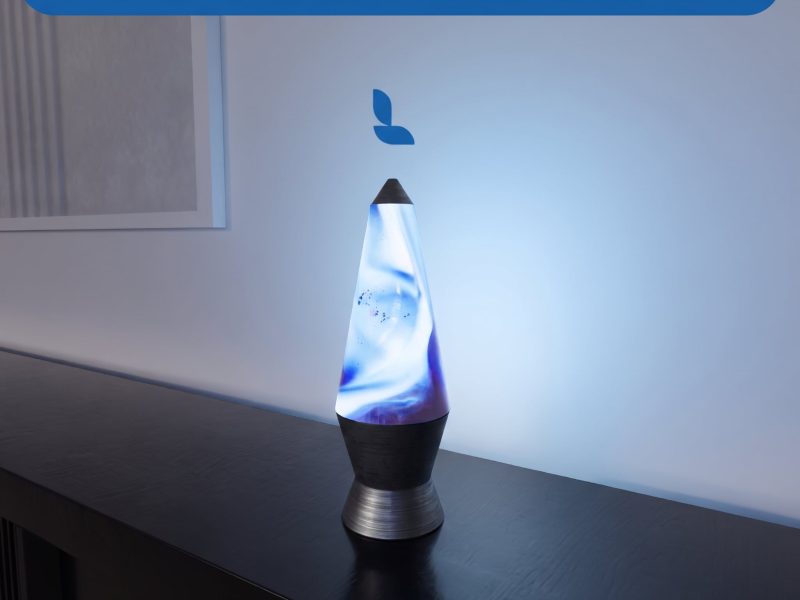
Creating realistic lighting elements is one of the easiest ways to make an architectural visualization feel more alive. Instead of using a static emissive texture, Lumion allows you to use a looping video as a material, making objects such as decorative lamps, LED panels, TV screens, digital displays, and illuminated signs look far more convincing. In this tutorial, you’ll learn the complete workflow—from preparing the UVs in your 3D software to creating a realistic animated emissive material inside Lumion.
Before importing your model into Lumion, it’s important to prepare the UV layout properly.
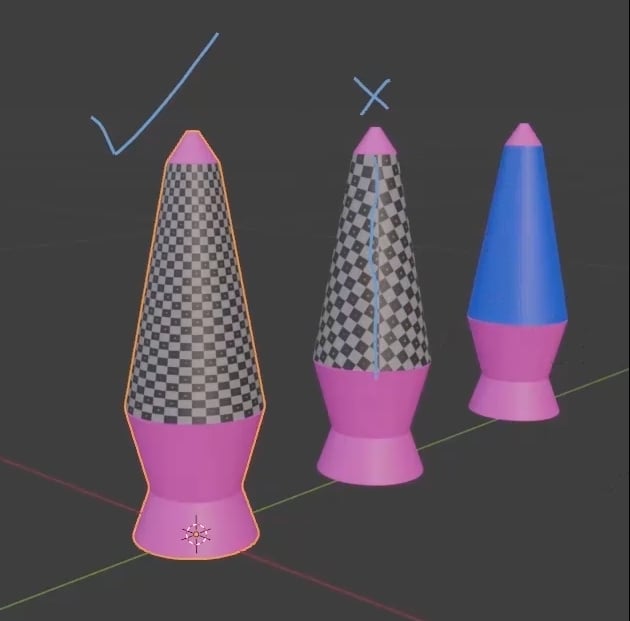
Whether you’re working in Blender, 3ds Max, or SketchUp, the same principle applies. The surface that will display the animated video must be a single continuous UV island.
Avoid splitting this surface with UV seams. If the UV is divided into multiple islands, the video texture will also be split, creating visible breaks that make the animation look unrealistic. A clean, uninterrupted UV layout ensures that the video plays smoothly across the entire surface. Once the UVs are complete, assign a simple material to the emissive surface and export the model for Lumion.
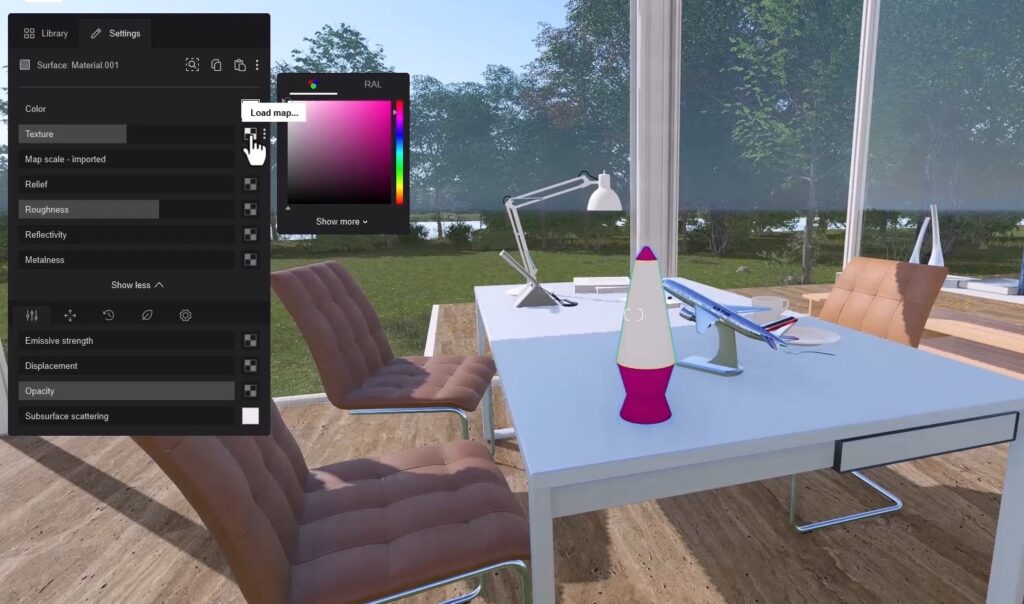
After importing the model into Lumion, open the Material Editor and select the surface that will become the illuminated part of the lamp. Instead of assigning a traditional image texture, use a looping video as the texture. This animated footage will become the visual content displayed on the lamp. After loading the video into the Texture slot, it will immediately begin playing on the object’s surface.
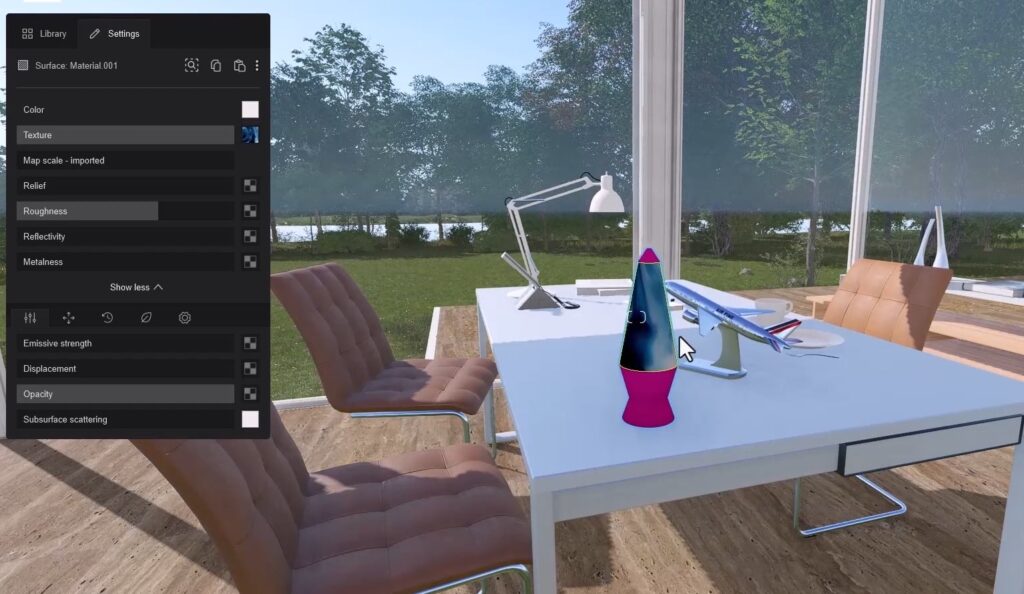
The next step is to increase the Emission value. This transforms the video into a glowing light source, making the lamp appear illuminated rather than simply displaying an animation.
To improve the overall appearance even further, add a small amount of Reflectivity. A subtle reflective surface gives the lamp a more realistic glass-like finish.
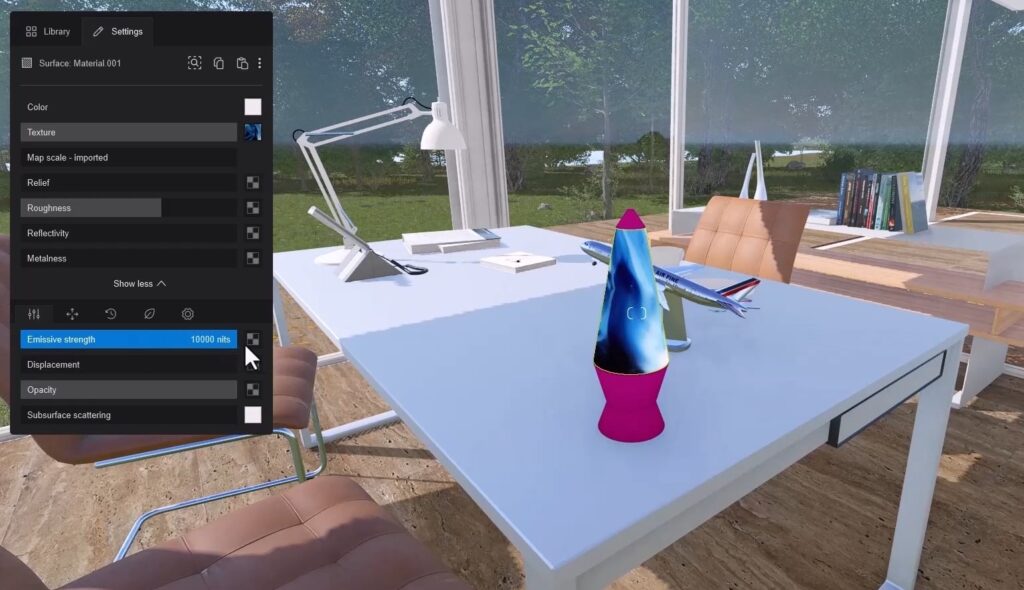
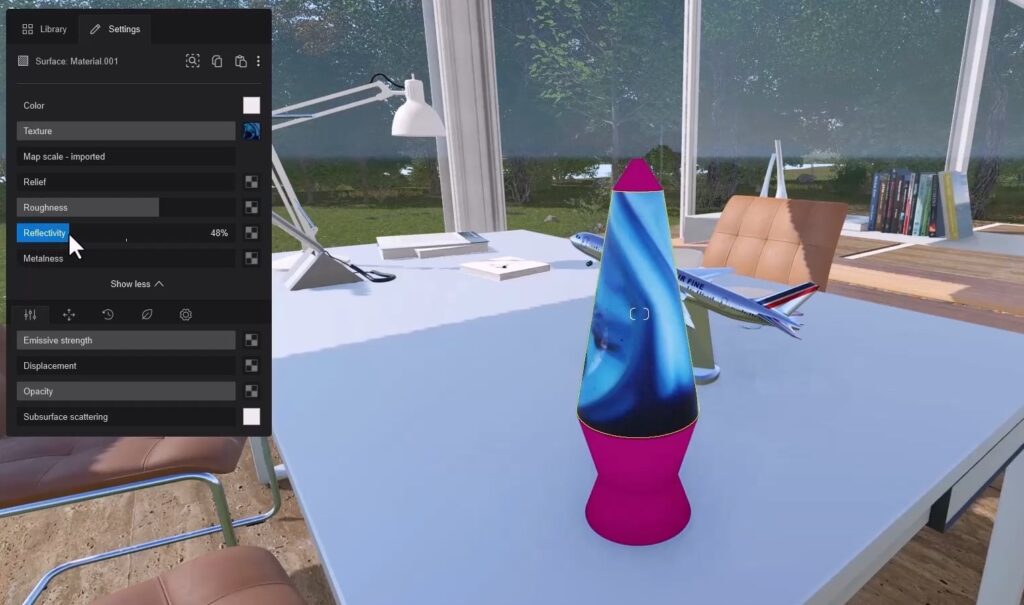
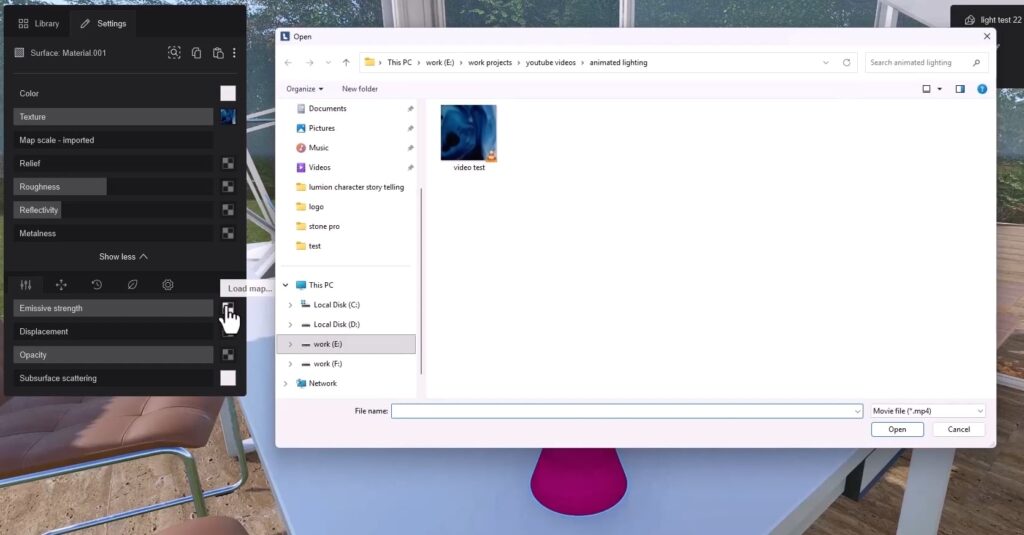
One of the most important techniques for achieving a realistic result is using the exact same video in the Emission Map.
Lumion automatically converts the video into grayscale for the emission channel. Bright areas emit more light, while darker areas emit less.
Because the light intensity follows the brightness of the video itself, the final result looks significantly more natural than using a uniform emission value across the entire surface.
With the emissive surface complete, the final step is assigning a material to the lamp body.
You can use any material available in the Lumion library, such as wood, metal, or plastic. In this example, a wood material from the EasyViz material collection is used to give the lamp a warm and realistic appearance.
Finally, preview the scene in a darker environment. Night lighting makes it much easier to evaluate the glow of the emissive material. If the light appears too strong, simply reduce the Emission value until the effect feels balanced and believable.
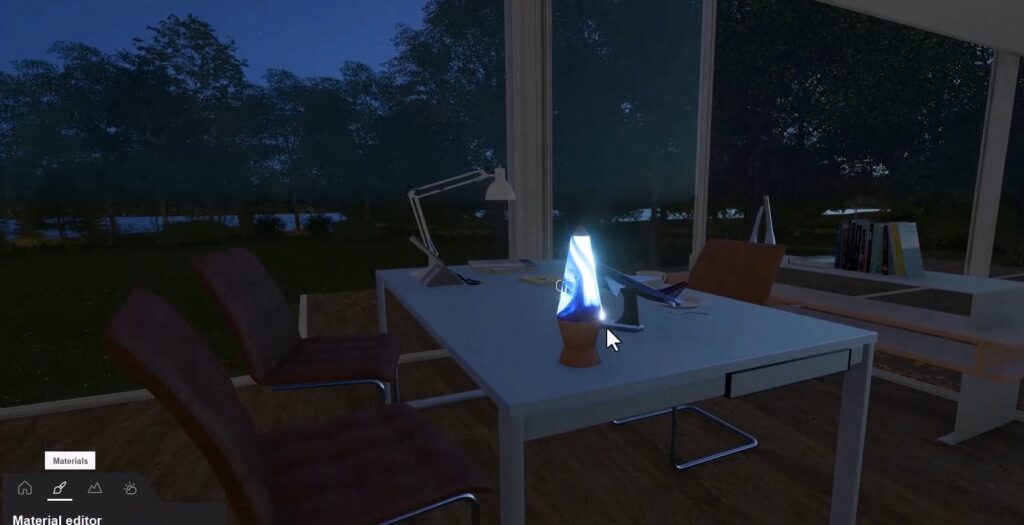
Using animated video textures for emissive materials is a simple but highly effective technique that can dramatically improve the realism of architectural visualizations.
The same workflow can be applied to a wide range of objects, including:
By combining proper UV preparation with Lumion’s video texture and emission features, you can create dynamic lighting effects that add movement, atmosphere, and realism to your architectural renders without increasing scene complexity.